Replace the old recipe with four concrete choices
The August 28 launch redistributed the old Attribute, Synergy and Rune systems into individual skills, Imprints and Relics.
Treat this as a rebuild around the skills you use. It is not a one-to-one conversion table from each old Rune or Synergy into a named replacement. The screen sequence below shows where the decisions now live.
Start with the Armory and read the action
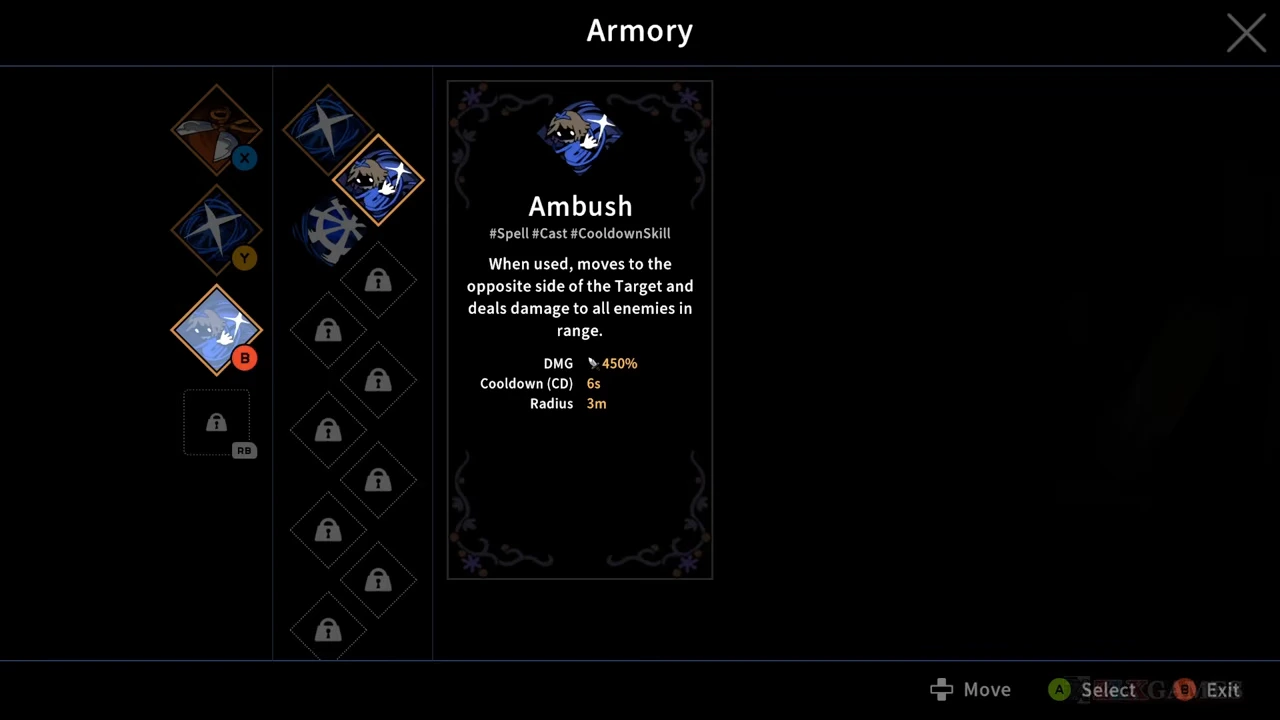
At the Armory, select a skill and read what its input does before filling the next slot. The shown loadout has Scissors on X, Slash on Y and Ambush on B; the Special slot is still locked. These are the controller prompts in this recording, not a keyboard layout or proof that every slot starts unlocked.
For example, Ambush moves to the other side of its target. That positioning behavior is part of the choice: do you want to arrive there? Pick the skill for the action you intend to perform, then check the assigned input. A familiar skill name alone is not a complete plan.
These examples come from ZlXgames’s August 31, 2026 upload. The recording shows Steam PC v1.0.0_b318. Use the visible tooltips as this version’s examples.
Upgrade a skill attribute, then read the separate Imprint
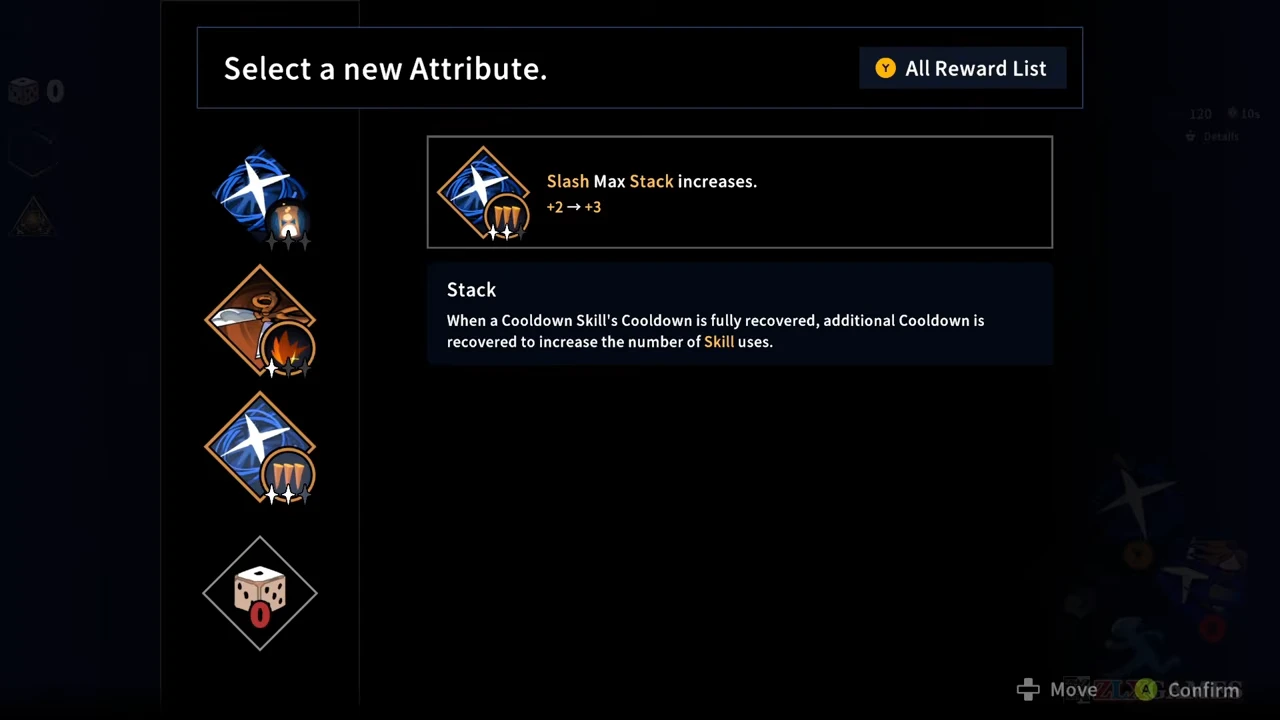
The new reward interface still says “Select a new Attribute.” In the shown Slash choice, Max Stack rises from +2 to +3. The word Attribute on this screen does not mean you have reopened the old system described in the launch notes.
The following screen is an Imprint choice. Release changes how Slash uses those stacks: activating it consumes all of them for extra damage. Capacity and the rule for spending that capacity are different decisions. Before choosing, ask whether you want that all-at-once cast.
Follow the specific skill’s reward text, then read its offered Imprint. Do not fill a personal build record with every displayed option: an offered choice is not evidence that all of the options were acquired.
Use the Relic’s trigger to connect the actions
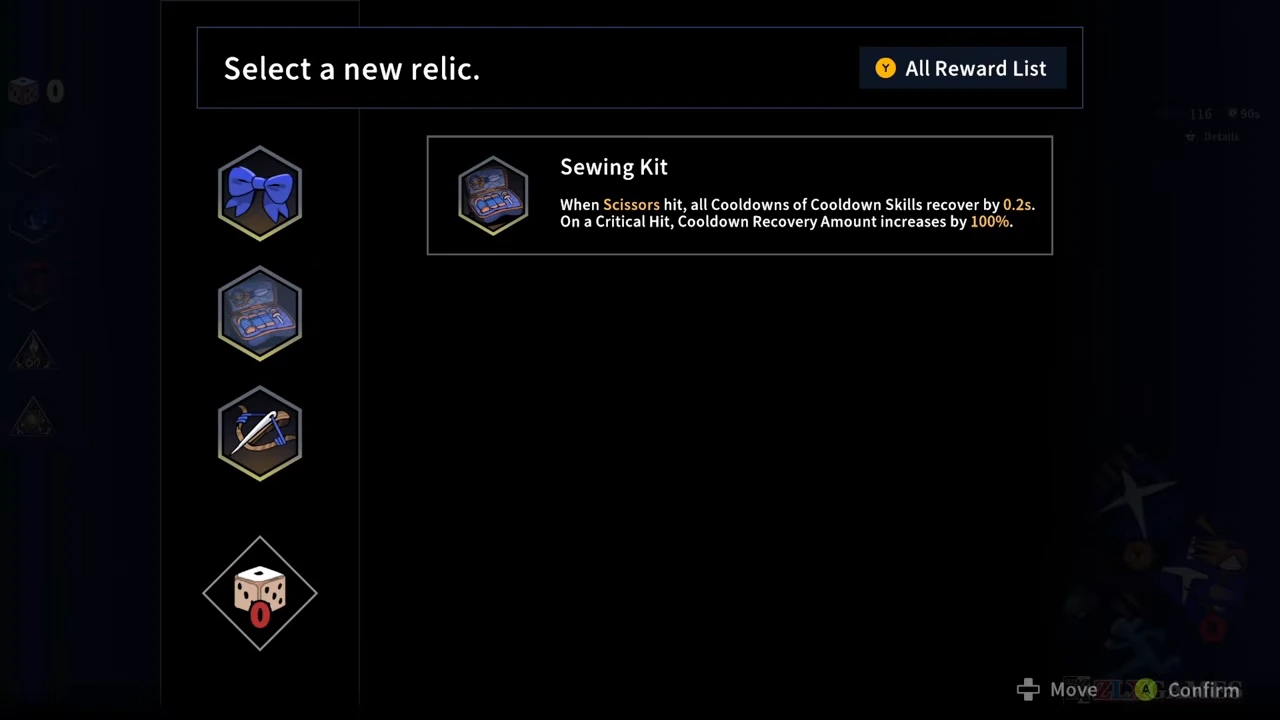
On the Relic reward screen, Sewing Kit makes Scissors hits recover cooldowns for Cooldown Skills, with a separate modifier for critical hits. The useful connection is the hit trigger and the skills that benefit from it.
For a plan using this relic, keep Scissors hits in your rotation when you need that cooldown recovery. Read the trigger rather than treating the relic as a universal damage bonus. This is advice based on the displayed effect; it is not a timed damage comparison or a guarantee that the reward will appear.
Rebuild the plan in that order
- Choose the weapon and spells whose actions you intend to use; check their assigned inputs in the Armory.
- As skill rewards appear, read the named attribute and the exact change it offers.
- At an Imprint choice, decide whether the changed casting rule fits those actions.
- At a Relic choice, match its trigger to something your chosen skills can actually do. Record the choices you make in the build planner.
Repeatedly lost levels were a separate bug
Hotfix 1.0.1 addressed repeated level and upgrade resets. Its restoration rule depends on previous progress; it did not promise maximum level for every account.
For that symptom, check your installed version and the patch notes. Changing your skill loadout is not a repair procedure for lost progression.