Finish the Attribute choice before choosing its Imprint
At attribute Level 3, choose one of three assigned Imprints.
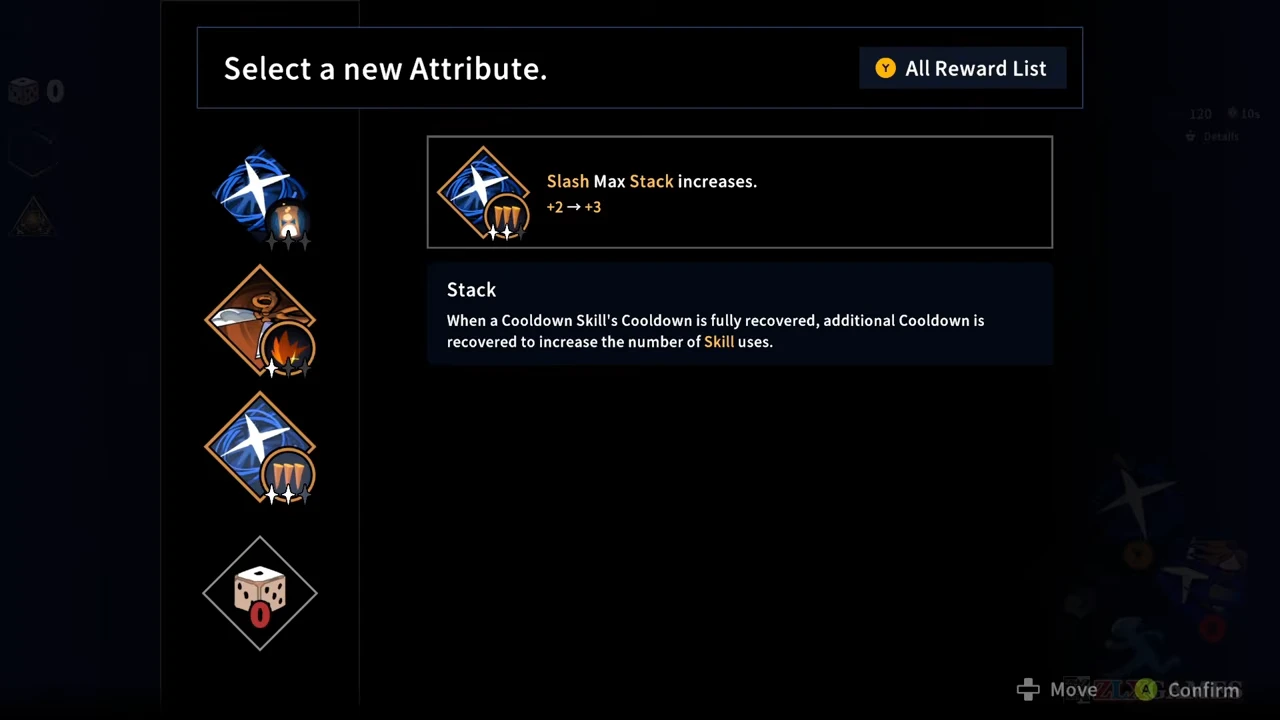
The recorded example first offers Slash Max Stack +2 → +3. After that choice, Select a new Imprint opens with Release highlighted. The stack-capacity number is not a count of Imprints: read the screen heading before deciding which benefit you are choosing.
The Slash sequence comes from ZlXgames’ August 31, 2026 upload, whose startup shows Steam PC v1.0.0. The Lapis and Doll menus come from CT602’s September 4 upload; their earlier Epilogue 2 segment has no verified exact build. These are dated choices, not a current-patch balance claim.
Release: spend Slash stacks together
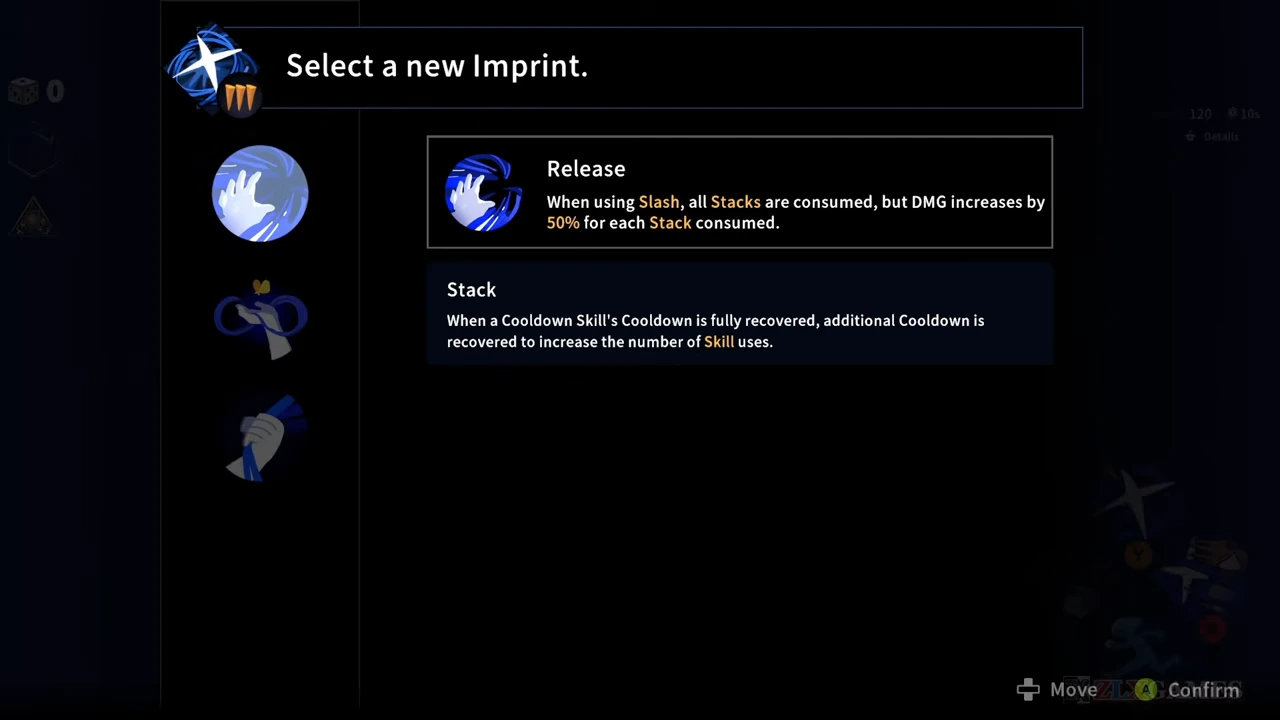
Release’s displayed effect consumes all Slash stacks when you use Slash and adds 50% damage for each stack consumed. The accompanying Stack panel explains additional recovered uses after the skill’s cooldown has recovered.
Choose this style when you want to commit the stored uses to one cast. If you were saving separate casts for enemies appearing at different times, consuming the whole stock changes that plan. This is a resource-spending tradeoff; the menu is not a measured comparison of sustained damage.
Highlight the option you intend to take and use the displayed Confirm control. In this sequence, the Imprint menu closes and the player returns to Get Reward prompts. Finish the remaining rewards instead of assuming that closing one menu collected every object in the room.
Overcharge: check whether you can use the charged-gauge condition
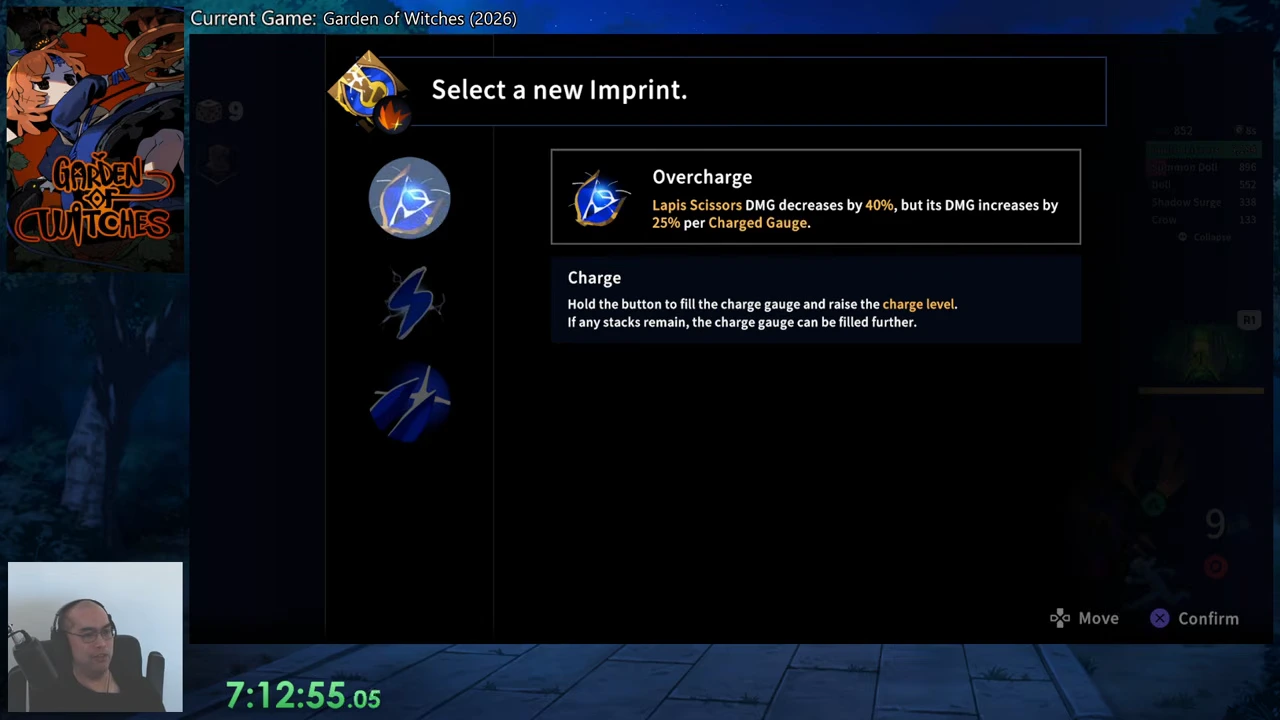
The Lapis option shows 40% less weapon damage, with 25% more damage per charged gauge. Its Charge panel says to hold the control to fill the gauge and raise the charge level; further filling depends on remaining stacks.
Consider the option only alongside a plan to charge the weapon when an opening is available. It changes Lapis Scissors, not Shadow Surge or Crow count. The displayed percentages should not be added into an invented whole-build damage formula. This is an observed choice screen, without a before-and-after damage test.
Gigantification: count Dolls, not every summoned object
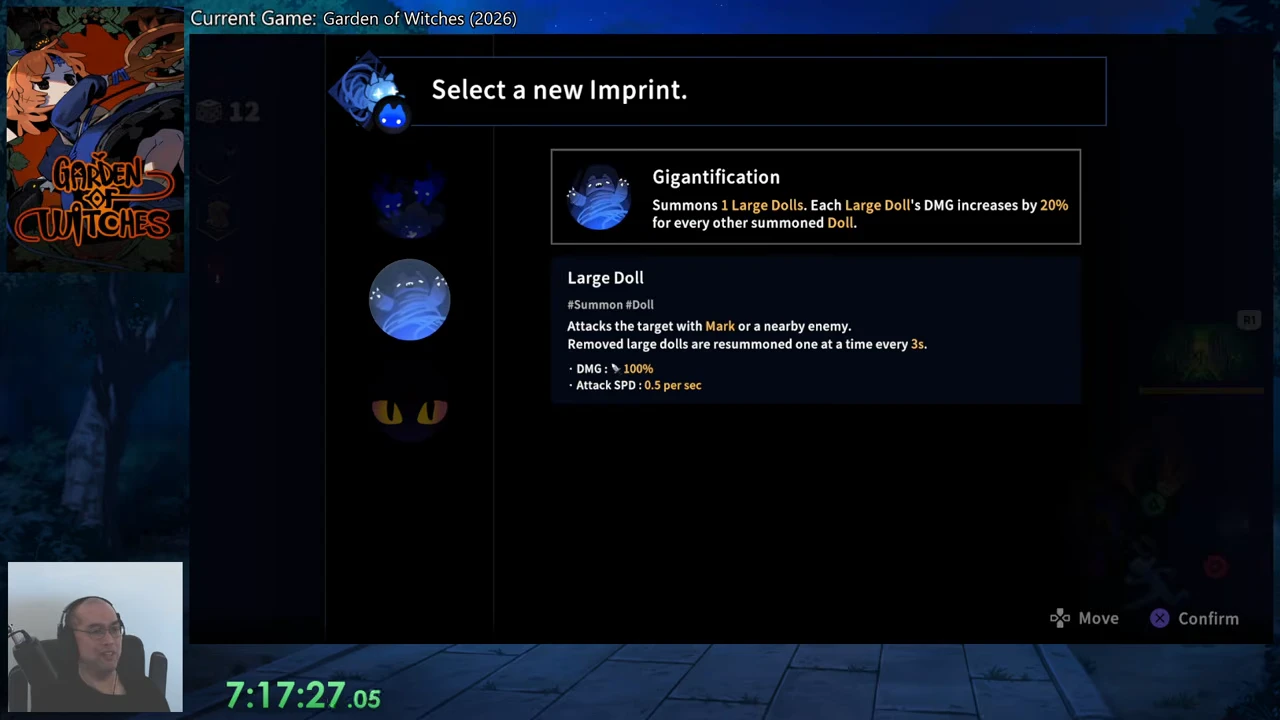
Gigantification summons one Large Doll and increases each Large Doll’s damage by 20% for every other summoned Doll. Its separate panel carries both Summon and Doll labels, targets a Marked or nearby enemy, and describes resummoning removed Large Dolls one at a time every three seconds.
The named category is part of the condition. Use this option for its Doll interaction; do not count Crows as extra Dolls merely because they are also summons. Checking the detailed component label prevents choosing an Imprint for an effect it does not describe.
Keep the selection unit separate from the achievement unit
Steam’s Imprint Complete condition is three Imprints on one Spell during one run. One choice from an attribute’s offered set therefore does not impose a one-Imprint limit on that Spell. Keep the three results on the same Spell in the same run.
For normal build planning, write the exact chosen name beside the component it changes. Include any condition you must act on, such as consuming stacks or landing a charged attack. The build planner preserves those notes; it does not simulate their numerical effects.
- Read the selected attribute and the new Imprint heading.
- Inspect the named component and trigger before confirming.
- Adjust the next casts or attacks to the chosen condition.
- For Imprint Complete, keep the results on one Spell within one run.