Read the trigger and the beneficiary separately
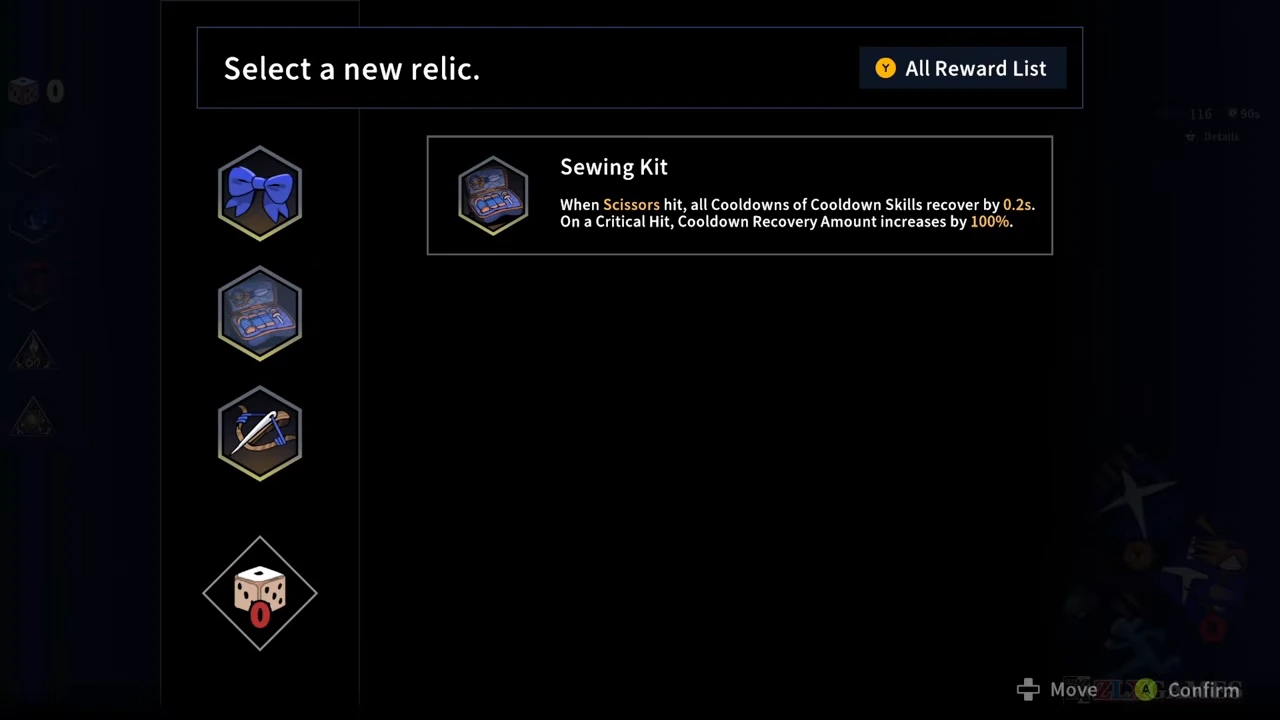
The three relics below appear together after the Chloe section of the recorded first chapter. The top of the menu says Select a new relic. Highlight each option to read its effect before confirming; its icon alone does not tell you which ability benefits.
All values below are read from the native Steam PC v1.0.0_b318_Release_PC_Steam recording uploaded August 31, 2026. They are dated tooltip values, not measurements on a later patch.
| Relic | Trigger shown | Benefit shown |
|---|---|---|
| Blue Ribbon | Use a Cooldown Skill | Recover 20% of Slash cooldown. |
| Sewing Kit | Land a Scissors hit | Recover 0.2 seconds on all Cooldown Skill timers; a critical hit increases that recovery by 100%. |
| Needle Crossbow | Deal projectile damage | Increase all projectile damage by 30%. |
Pick Blue Ribbon when Slash recovery is the problem
Blue Ribbon names Slash as the beneficiary. Its trigger is using a Cooldown Skill. If you are trying to cast Slash more often while using your other cooldown-based ability, that is the connection to evaluate.
Do not read the 20% as a general reduction to every skill timer or as 20% more damage. The tooltip describes cooldown recovery for Slash after a qualifying use. It does not establish a permanent 20% reduction to the displayed base cooldown.
Pick Sewing Kit when you keep landing Scissors hits
Sewing Kit makes successful Scissors hits contribute to cooldown recovery. Attacking without connecting is not the trigger shown. This option therefore connects your weapon attacks to your Cooldown Skills, whereas Blue Ribbon connects a skill use specifically to Slash.
The critical-hit line increases the cooldown-recovery amount, not your critical damage. The menu gives a 0.2-second base recovery and a 100% increase on a critical hit. That is a conditional recovery effect; it does not promise the same casts per minute against every target or attack pattern.
Pick Needle Crossbow for the projectile part of a skill
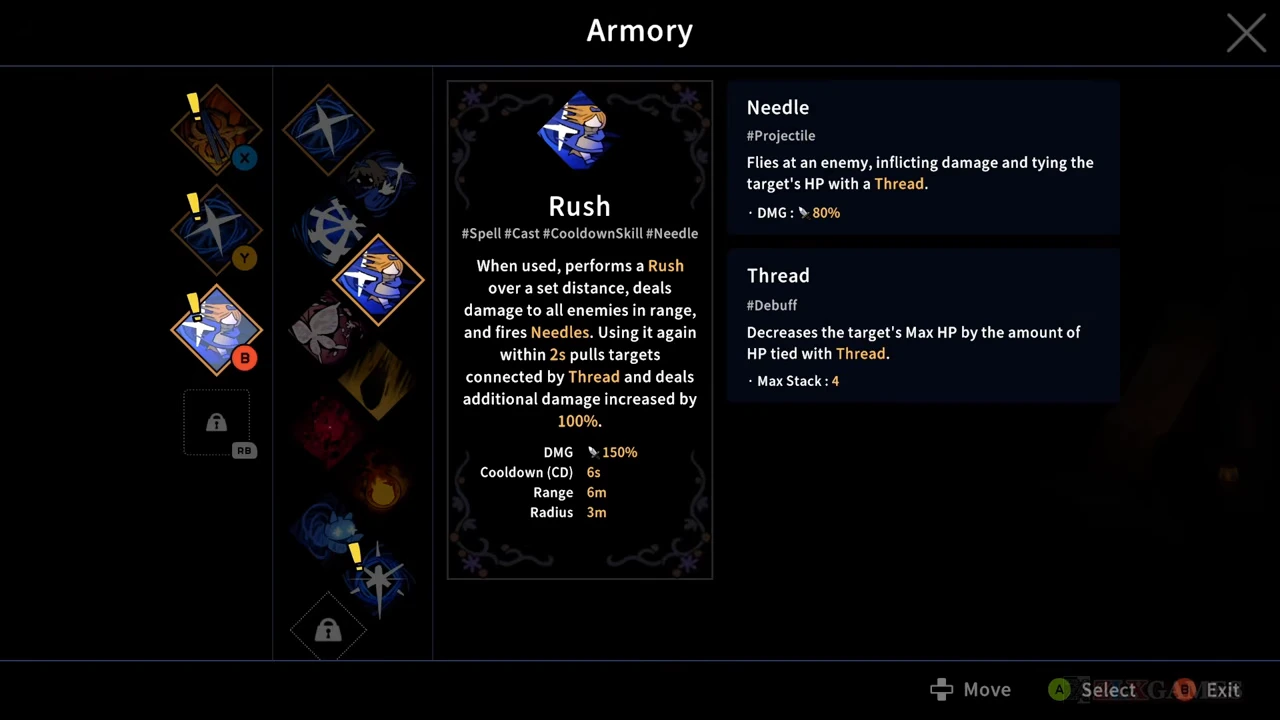
Needle Crossbow increases projectile damage. To decide whether it affects your intended damage source, inspect that source’s details rather than assuming every part of a Spell is a projectile.
Rush is a useful recorded example: its main description includes movement, an area hit and fired Needles. The separate Needle details explicitly carry the Projectile label. That supports applying the relic’s stated category to the Needle component; it does not justify multiplying every part of Rush, every Scissors hit or total run damage by 1.30.
Confirm the choice and check the acquired icon
Use the displayed confirm input after selecting the relic you want. In this recording the player inspects all three options, but the subsequent arena view shows the Sewing Kit icon among the acquired relics. The last option inspected is not reliable proof of the option finally chosen.
After leaving the menu, check the acquired icon and return to the ability loop you intended to improve. This comparison explains three observed choices; it does not establish their drop rates, all possible relics, or a universal best-in-slot ranking.