Prepare a weapon-first loadout
Once the choices are available, try Broken Scissors with Ambush and Counter. This is an author-recommended loadout assembled from their recorded input roles, not a claim that the video demonstrates this exact three-piece build or a best-DPS result. Leave any Special skill and unearned reward choices outside the core loop.
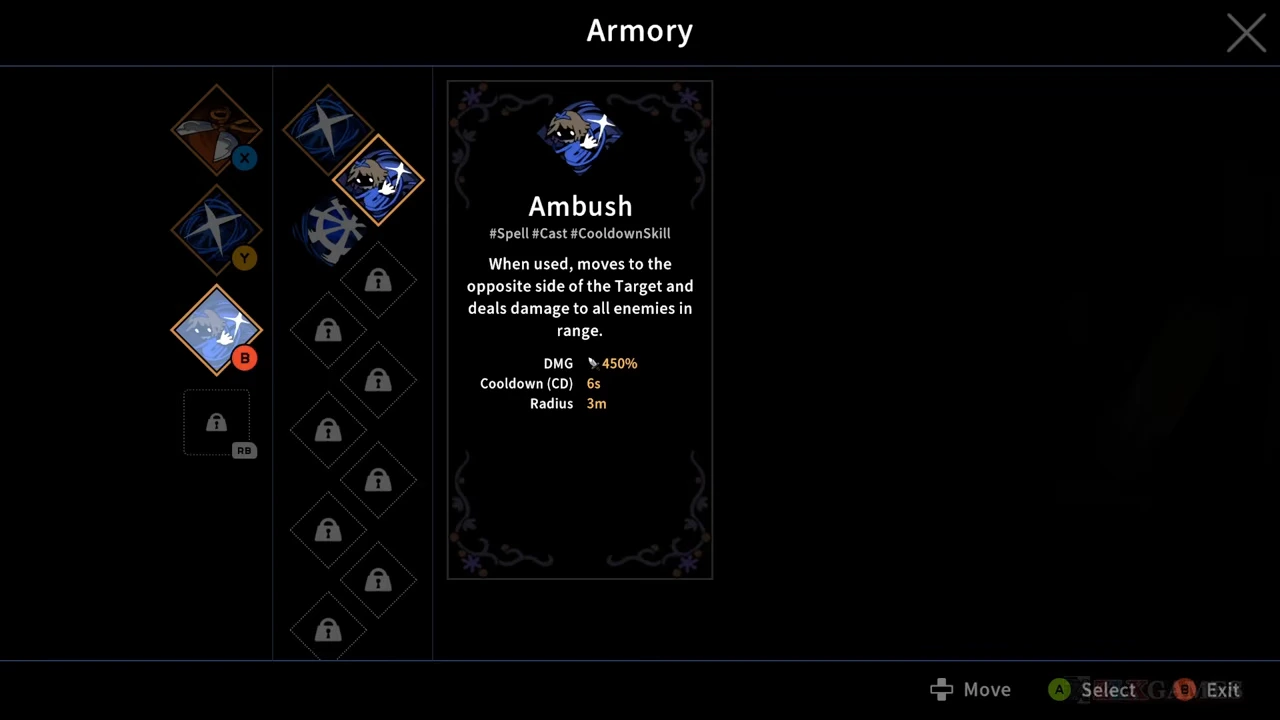
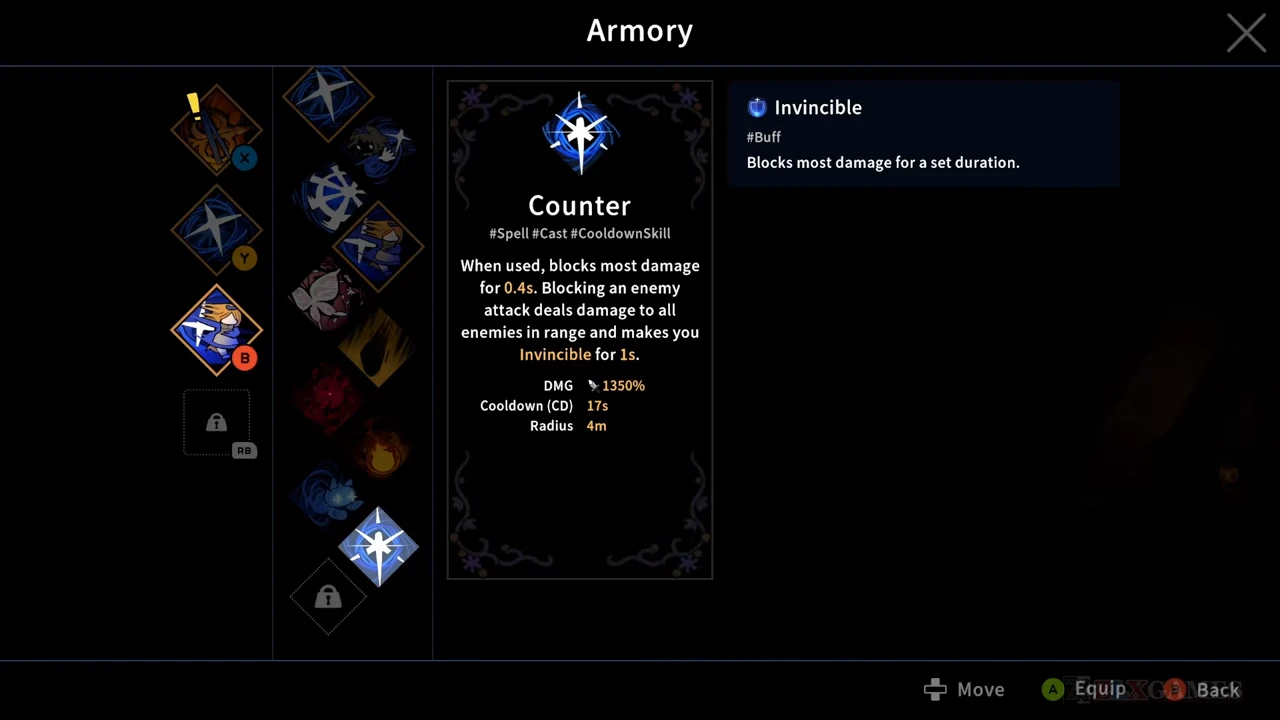
Broken Scissors supplies Sharpness on hits. Ambush supplies movement across a target; Counter supplies a short defensive timing option. The displayed base Ambush and Counter descriptions do not promise Sharpness gain or a Sharpness-consuming attack.
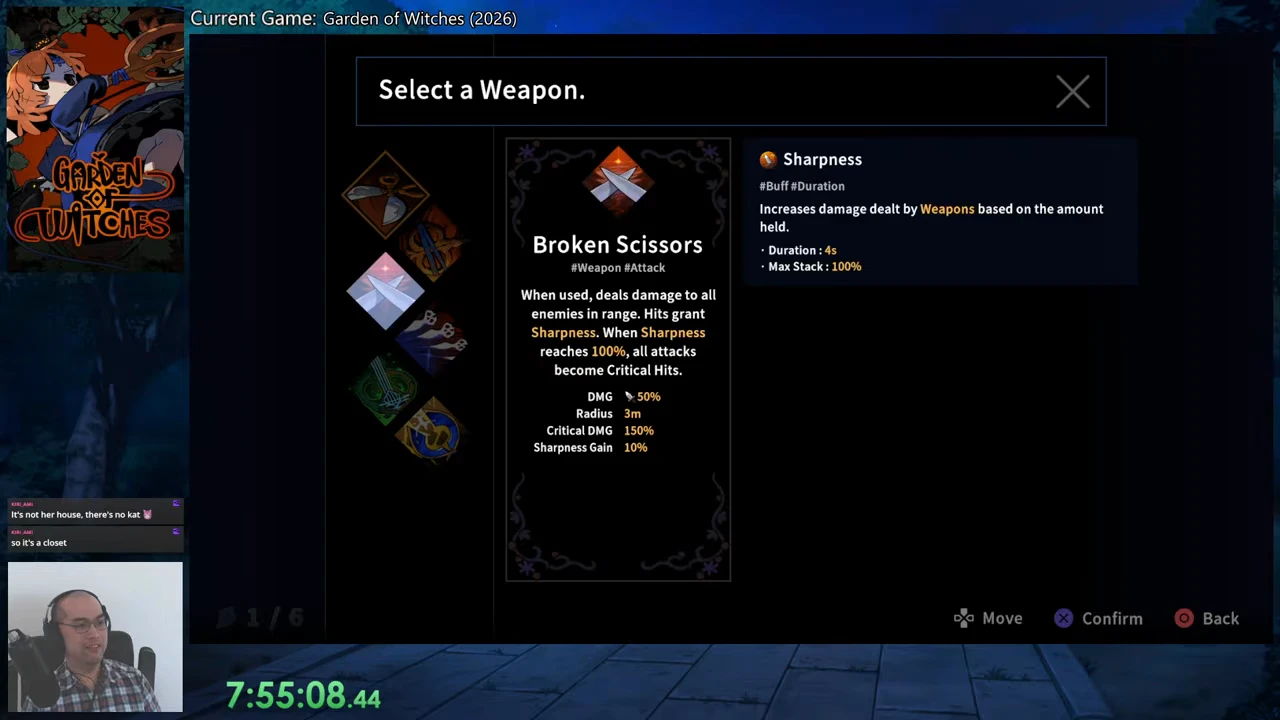
Broken’s values come from CT602’s later Steam PC v1.0.2 menu, in an upload dated September 4, 2026. The supporting spell panels come from ZlXgames’ Steam PC v1.0.0 recording, uploaded August 31. Match your current tooltips before applying these recorded figures.
| Choice | Role in the plan |
|---|---|
| Broken Scissors | Connect weapon hits to build the named buff. |
| Ambush | Cross a target when the opposite side is a safe return position. |
| Counter | Time the brief block against a known incoming hit. |
Fill from hits, then use the 100% condition
The Broken Scissors menu lists 10% Sharpness gain and a 3 m attack radius. Its text names hits as the trigger. A swing that does not connect is not a successful trigger, and one button press against a crowd is not evidence of a universal fixed number of gains.
Sharpness increases weapon damage according to the amount held. At 100%, Broken Scissors attacks become critical; the separate buff panel lists a 100% maximum and a four-second duration. Use that state for further safe weapon hits. Do not turn the panel into a promise of permanent criticals or a precise sustained-damage formula.
Preserve opportunities to hit without standing in warnings
Stay close enough for the next weapon attack to connect, but leave painted attack areas before extending another string. A four-second buff is not a reason to accept a hit or assume the timer freezes while you reposition. Watch the current buff state when you return instead of counting the old 100% as still active.
Use Ambush only after checking the opposite side of the target. Its base movement is across the target, not a guaranteed escape to open ground. If that landing side is threatened, move normally and rebuild your attack opportunity elsewhere.
Counter’s recorded block lasts 0.4 seconds. A successful block triggers its area hit and one second of Invincible; it blocks most damage rather than promising protection from every attack. Use it for a hit you can time, then resume weapon attacks when the opening is real.
Use the buff rather than assuming a dump action
This base Broken Scissors panel does not specify a Sharpness cost for an attack or for casting Ambush or Counter. The useful payoff is weapon damage and the full-bar critical condition. Calling a spell a dump does not make it consume Sharpness or inherit all of its weapon benefit.
If a later Imprint or relic explicitly spends Sharpness, read that modifier’s own trigger and cost before changing this loop. Without that text, keep the weapon-hit plan below. These are recommended actions based on the tooltips, not a filmed fill-to-100-to-spend sequence.
- Enter weapon range when the ground ahead is safe.
- Connect Broken Scissors hits and check the current Sharpness state.
- Continue safe weapon hits at the full-bar critical condition.
- Leave incoming warnings; use Ambush only for a safe destination or Counter for a timed incoming hit.
- Return to connected weapon hits and rebuild any lost buff.
Treat the optional Sharpness modifiers as dated choices
The August 3 developer preview described Hunger as +100% maximum Sharpness with total loss after two seconds without gain, Frenzy as attack speed equal to 20% of Sharpness, and Cat’s Eye Ring as 20% Sharpness on spell use. These are preview options, not verified current modifiers in the combat plan above.
Check any matching current tooltip before selecting it. A larger cap with a shorter maintenance condition changes how long you can safely leave the enemy; it does not prove a stronger result for a player who repeatedly has to disengage. The core setup does not require those random rewards.